

Complete the master set

Eyevo tracks every printing of every card separately, so your set progress can mean the real thing: all of them.

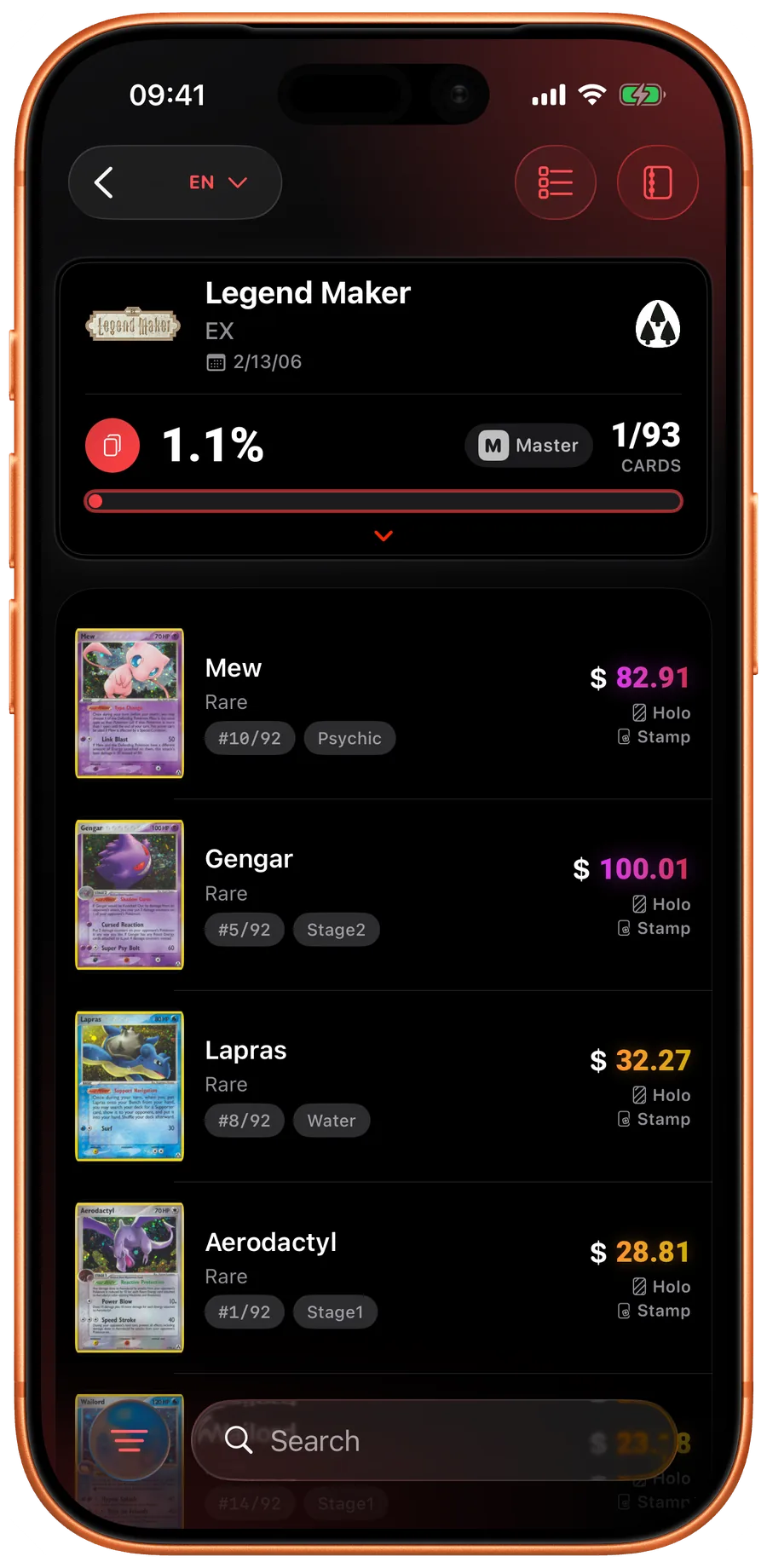
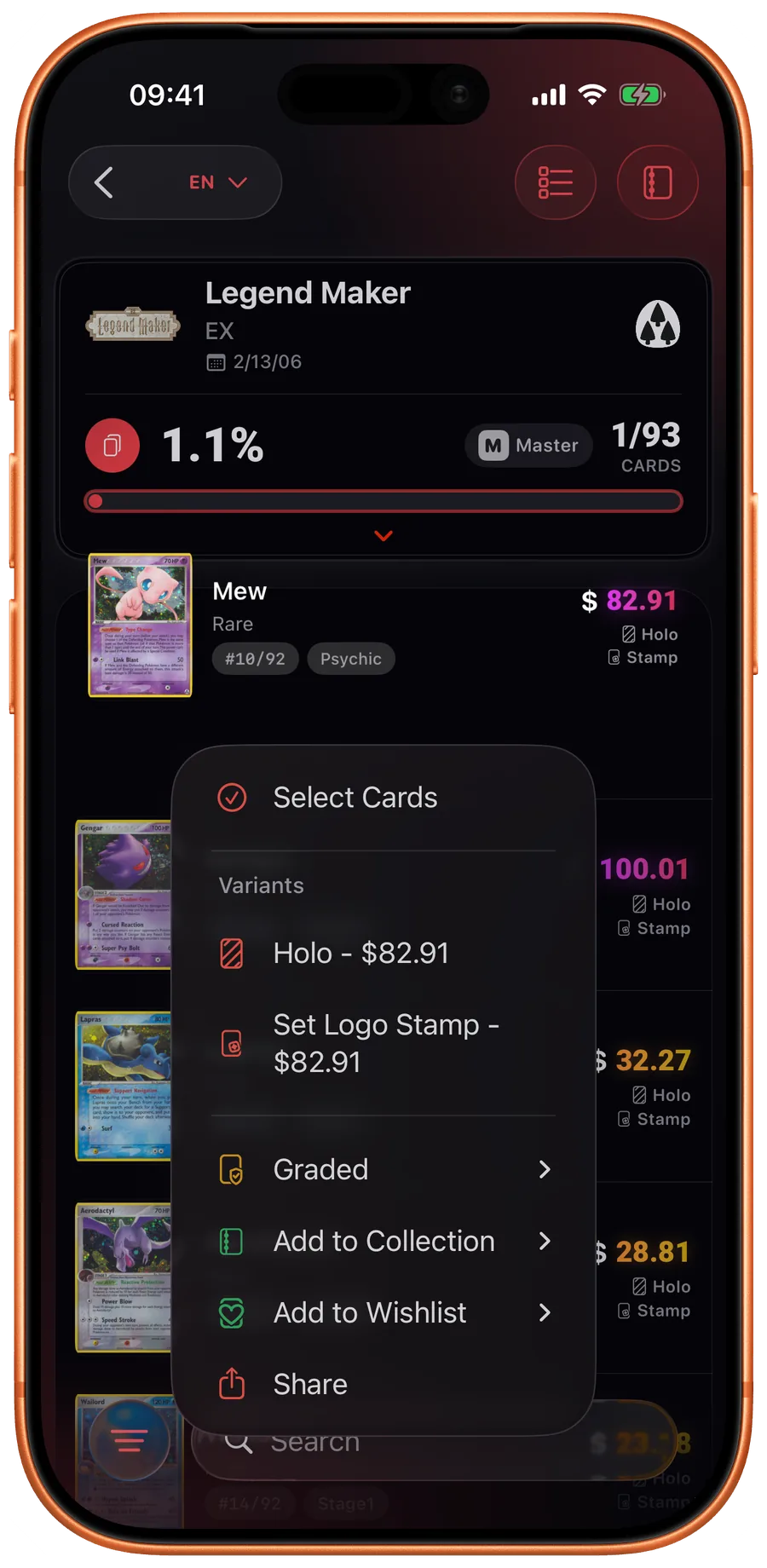
Set progress and card actions

Set detail in Eyevo
Card menu in Eyevo
Collection detail in Eyevo

Every printing counts

Normal, reverse holo, Poke Ball and Master Ball patterns, 1st edition — each printing is its own slot in the master set.

Progress at a glance

Master-set progress shows right in the set list, so you always know how far each set really is from complete.

Switch modes anytime

Flip a set between regular and master-set mode whenever you like — your collection data stays intact either way.

A master set is the complete version of completing a set: not one copy of every card, but every printing of every card — normal, reverse holo, Poke Ball and Master Ball patterns, 1st edition, every stamp. Eyevo 5.0 makes master sets a first-class collection mode: every printing is its own slot, progress shows right in the set list, and you can flip any set between regular and master-set mode without touching your data.

Every printing is its own slot

Eyevo's database already prices every printing separately — a reverse holo is not the same card as the normal print, and a Master Ball pattern is not the same card as a Poke Ball pattern. Master-set mode surfaces that same structure as a checklist: each printing of each card is a separate slot to fill.

That means the numbers are honest. A set with 200 cards might have 450+ printings; master-set mode counts all of them, so 100% means the real thing.

Progress where you can see it

Master-set progress appears directly in the set list, next to the regular completion number. You always know which sets are actually finished and which ones still hide a missing reverse holo.

Inside a set, the checklist shows exactly which printings you own and which are missing — filter to the gaps and you have a shopping list.

Regular mode and master mode coexist

Not every set deserves the master treatment, and Eyevo doesn't force it. Each set can be tracked in regular mode (one copy of each card) or master-set mode (every printing), and switching between the two is instant and non-destructive — your owned cards and their variants stay exactly as recorded.

Common questions

What counts toward a master set in Eyevo?

Every printing the database knows for each card: normal, holo, reverse holo, Poke Ball and Master Ball patterns, 1st edition, stamps, and other variant printings.

Can I use master-set mode for only some sets?

Yes. The mode is set per set — track your favorite set as a master set and everything else in regular mode.

Do I lose data when switching modes?

No. Switching between regular and master-set mode only changes how progress is counted; your collection entries are untouched.