Graded Card Pricing · v4.0

Pokemon graded prices for every company

Scan a slab, get the comp. PSA, BGS, CGC, SGC, ACE, and TAG — six companies, one app, real sold prices.

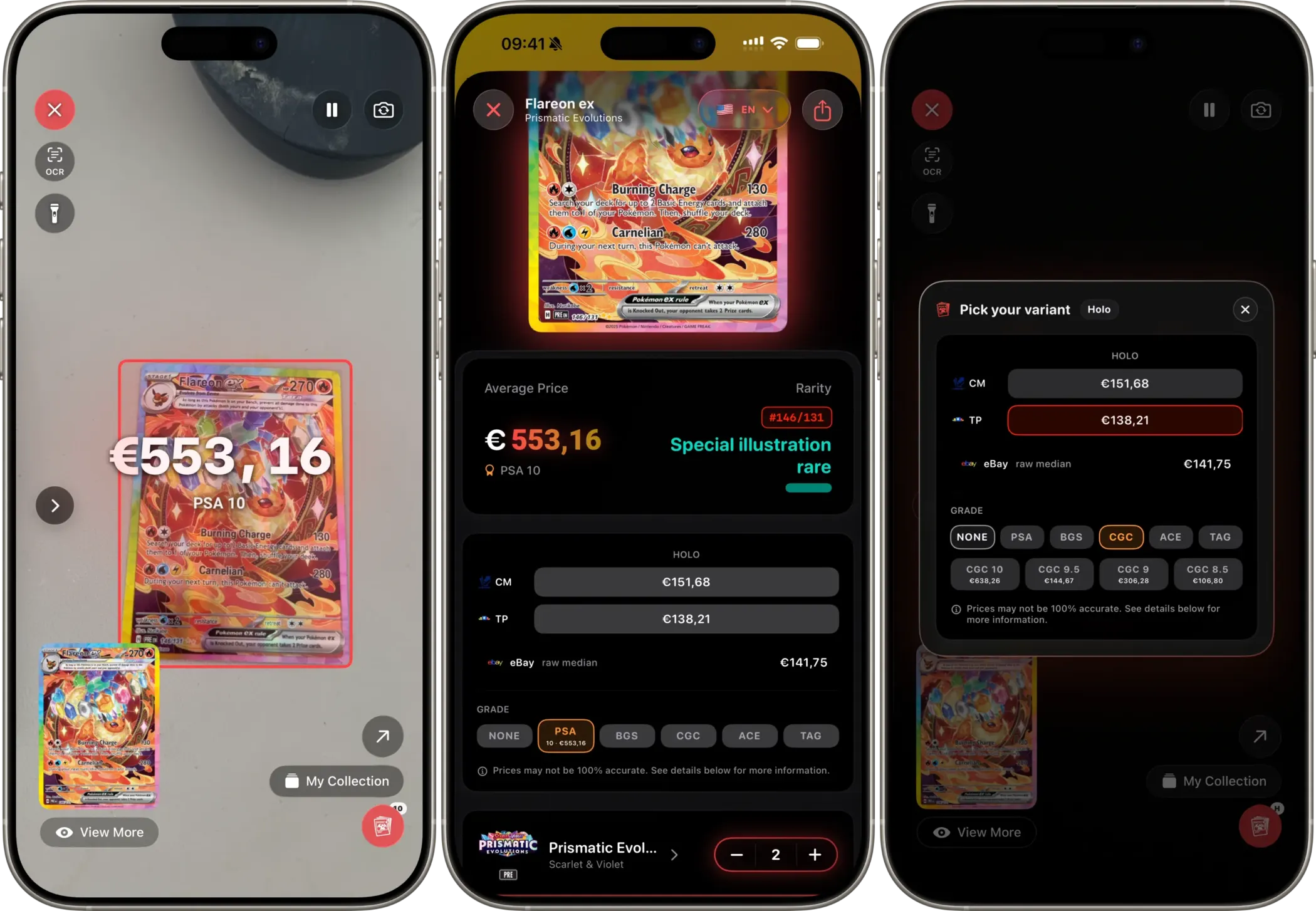
Eyevo showing scanner, card detail price matrix, and grade picker side by side

Scanner → Card detail → Grade picker. Three taps to a real comp.

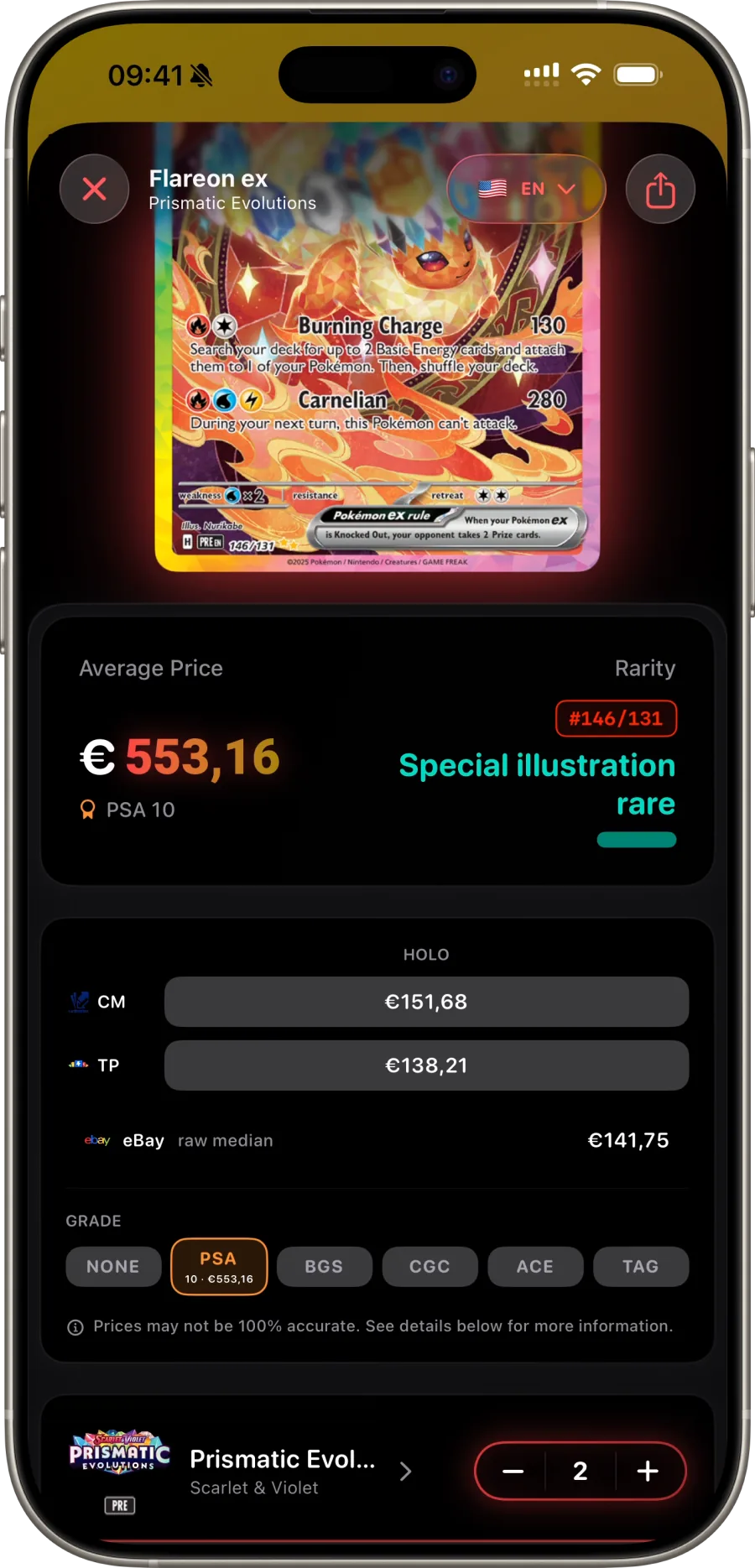
Six grading companies, one matrix

Open any Pokemon card and Eyevo surfaces live comps from PSA, BGS, CGC, SGC, ACE, and TAG — every grade each company issues, half-grades included.

Pick a company, pick a grade, see what's actually selling. Comps come from real eBay sold listings over the last 30 days — never asks.

PSA BGS CGC SGC ACE TAG
Card detail showing the grade matrix with all six grading companies

How to find your card's graded value

Three taps from camera to comp.

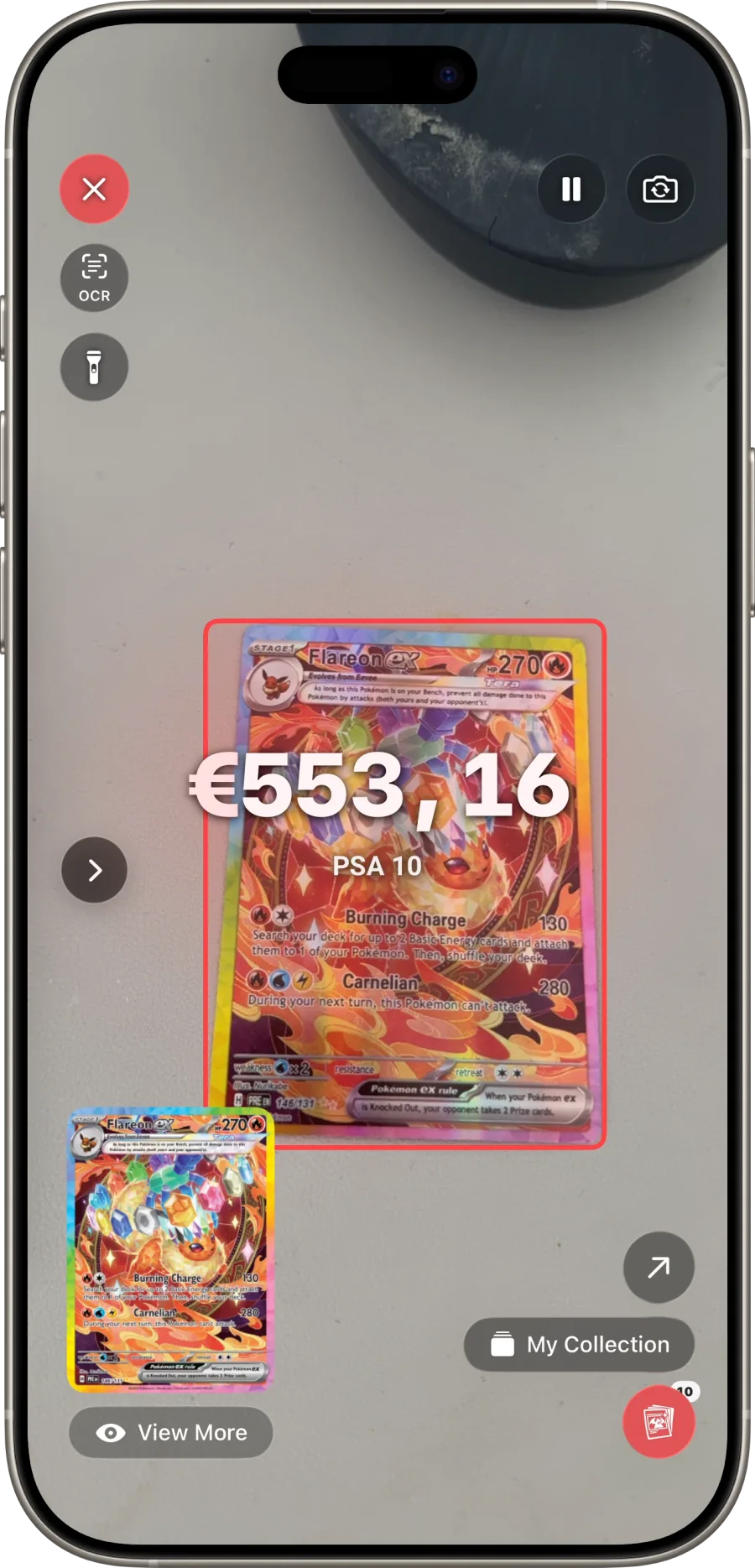
Eyevo scanner identifying a graded slab
1

Scan the card

Point the camera at any Pokemon card — raw or slabbed. Eyevo identifies the card and reads the slab automatically.

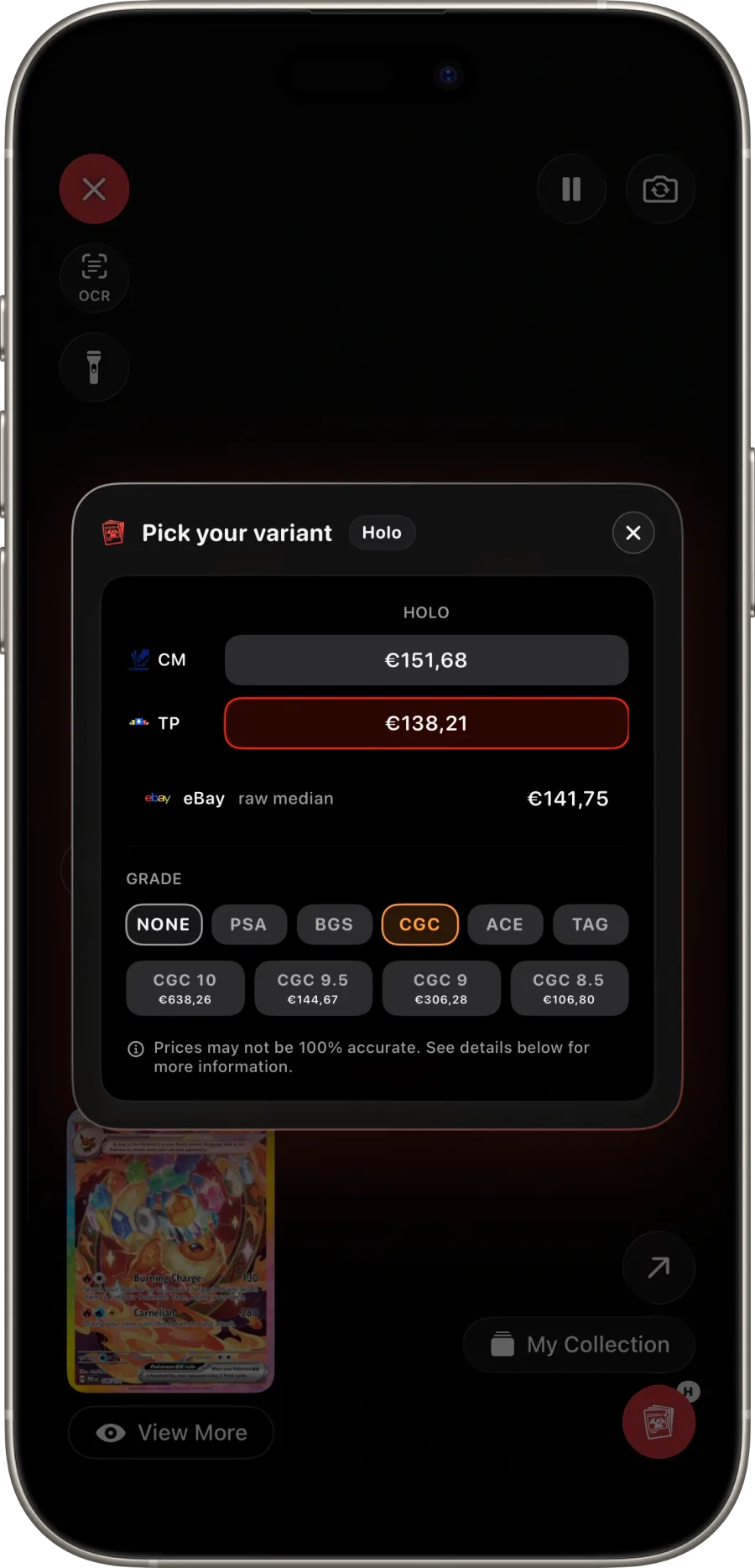
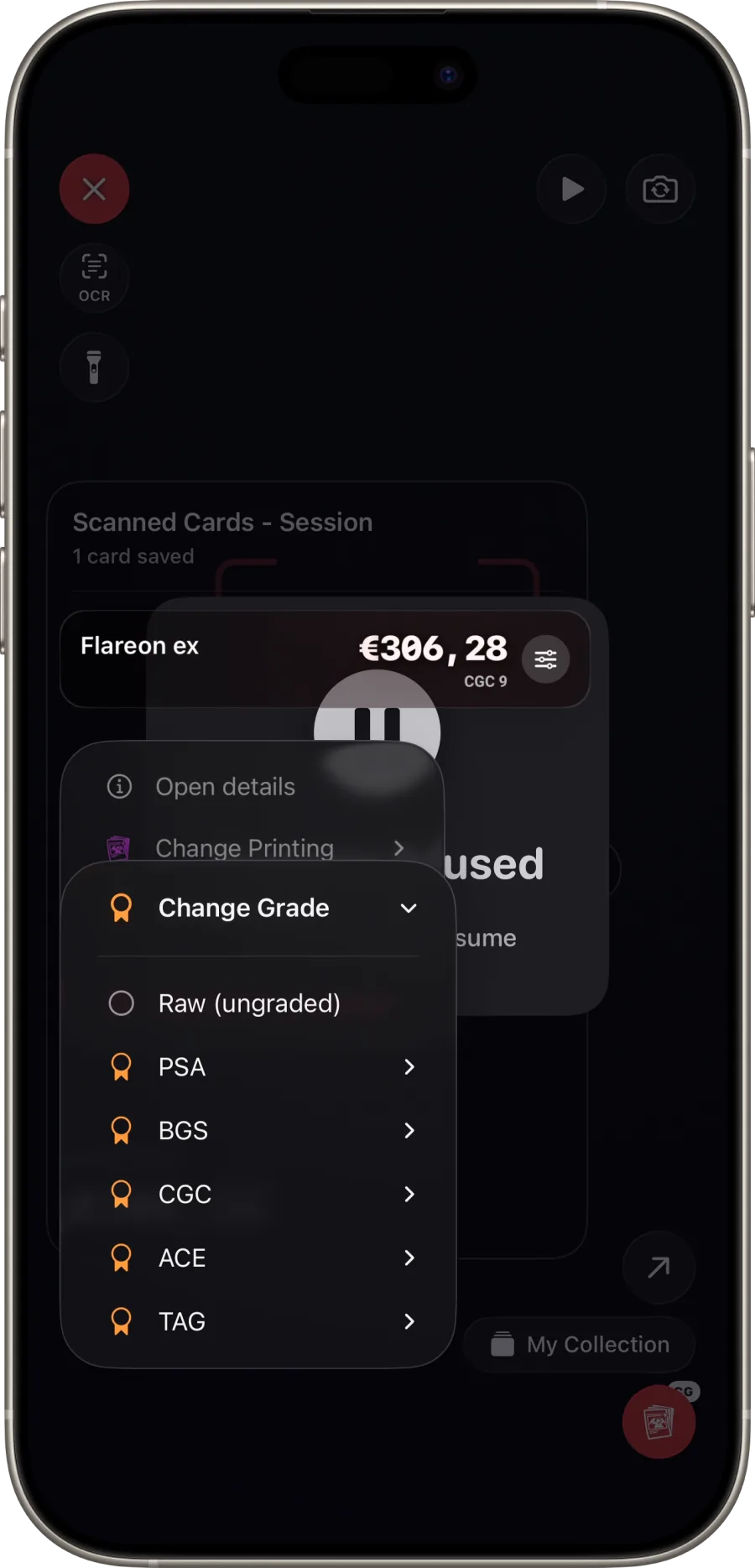
Eyevo variant + grade picker showing all six grading companies
2

Open the picker

Tap the red button at the bottom-right. Pick the printing (holo, reverse, normal) and a grading company.

Eyevo showing the grade selector with PSA 10, 9, 8 options
3

Pick the grade

PSA 10, BGS 9.5, CGC Perfect, ACE 9, TAG 10, half-grades — pick one and the live comp appears instantly.

Dive into each grading company

Per-grader guides, real comp examples, when each one makes sense.

Real eBay sold comps. Never asks.

Every grade Eyevo shows is sourced from actual eBay sold listings over the last 30 days. The number on the screen is what buyers really paid for that exact (company, grade) combination — not a formula, not a multiplier, not a wishlist ask.

Eyevo's graded-pricing matrix shows live sold-listing comps from PSA, BGS, CGC, SGC, ACE, and TAG side-by-side, for every grade each company issues. Six grading companies, every grade, half-grades included, sourced from real eBay sold listings — not asks, not list prices, but what cards actually traded for in the last 30 days.

Every grading company, one tap apart

Open any card and the grading panel lets you switch between PSA, BGS, CGC, SGC, ACE, and TAG without leaving the page. The price matrix updates in place to show the comp for that company-and-grade combination, with the trade volume so you can tell the difference between a price backed by 200 sales and one backed by two.

Half-grades are tracked alongside whole grades. BGS 9.5, CGC 9.5, SGC 8.5, ACE 9.5, and the rest get their own price points — you do not get a PSA-9-shaped answer when you scanned a CGC 9.5.

Real sold comps, not asks

The pricing data is sourced from actual completed eBay sales over the last 30 days, filtered to remove obvious outliers (private sales between known accounts, accidental Buy It Now mispricings, and listings that closed at a fraction of their photographed condition). The number you see is what people are actually paying right now.

When the trade volume for a specific (company, grade) combination is too low to produce a reliable comp — fewer than three sales in 30 days — the app says so explicitly rather than showing a fragile single-data-point number.

Scan the slab, get the grade

The scanner reads the slab as well as the card. Point the camera at a graded card and Eyevo identifies the card behind the case and reads the company and grade off the label, then pulls the matching comp without any taps. This is the workflow that saves the most time at a card show: scan, glance, decide, move on.