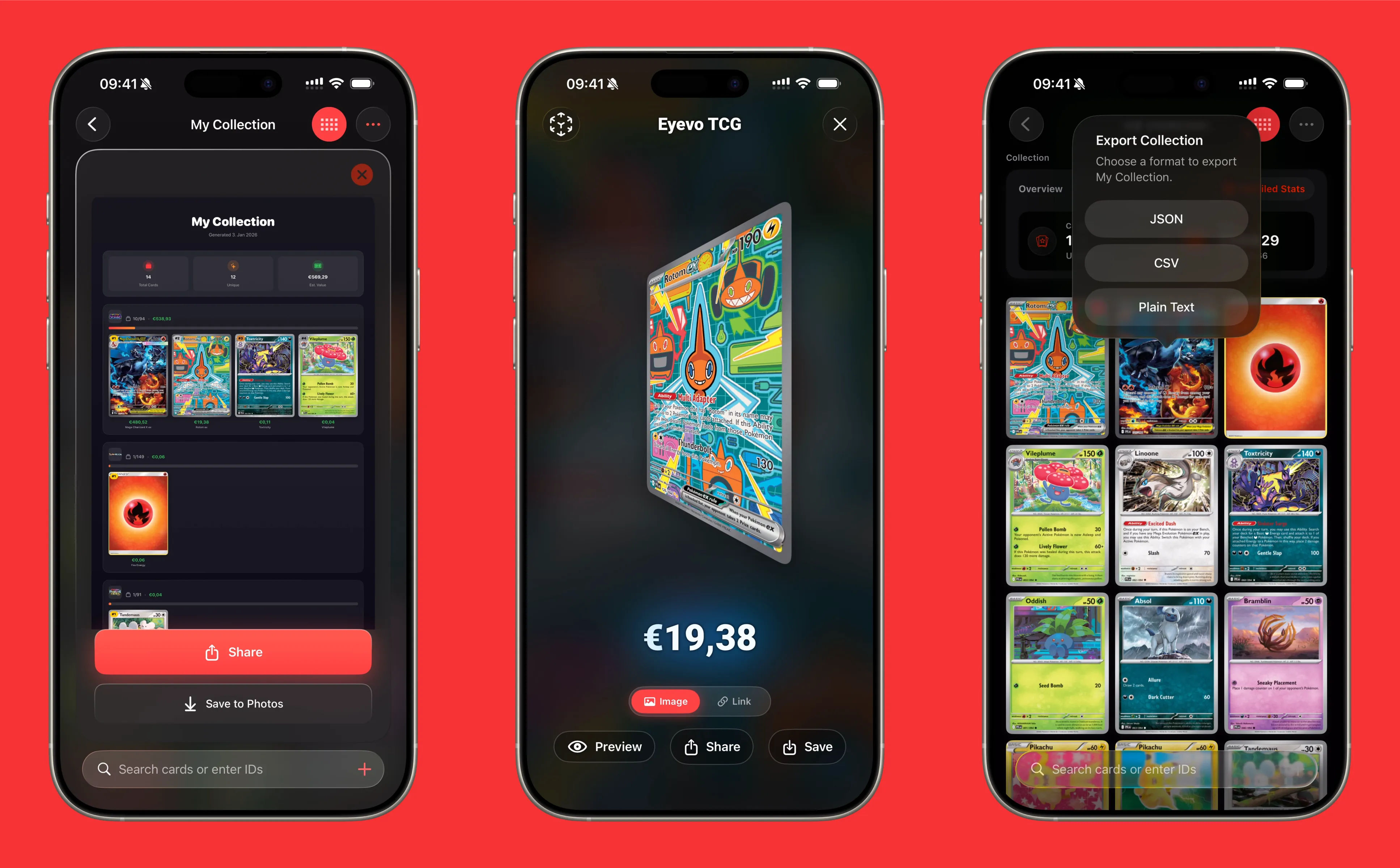
How to Export Your Pokemon Card Collection from Eyevo
One of the most requested features in any collection app is the ability to export your data. Whether you want to back up your collection, analyze your cards in a spreadsheet, or share your inventory with other collectors, Eyevo makes it easy to export your Pokemon card collection in multiple formats.
Why Export Your Collection?
There are many reasons you might want to export your Pokemon card collection:
- Backup: Keep a local copy of your collection data for peace of mind
- Analysis: Import into Excel or Google Sheets to analyze your collection value trends
- Insurance: Document your collection’s value for insurance purposes
- Trading: Share your inventory with potential trading partners
- Selling: Create listings for cards you want to sell
Export Formats Available
Eyevo supports three different export formats, each designed for different use cases:
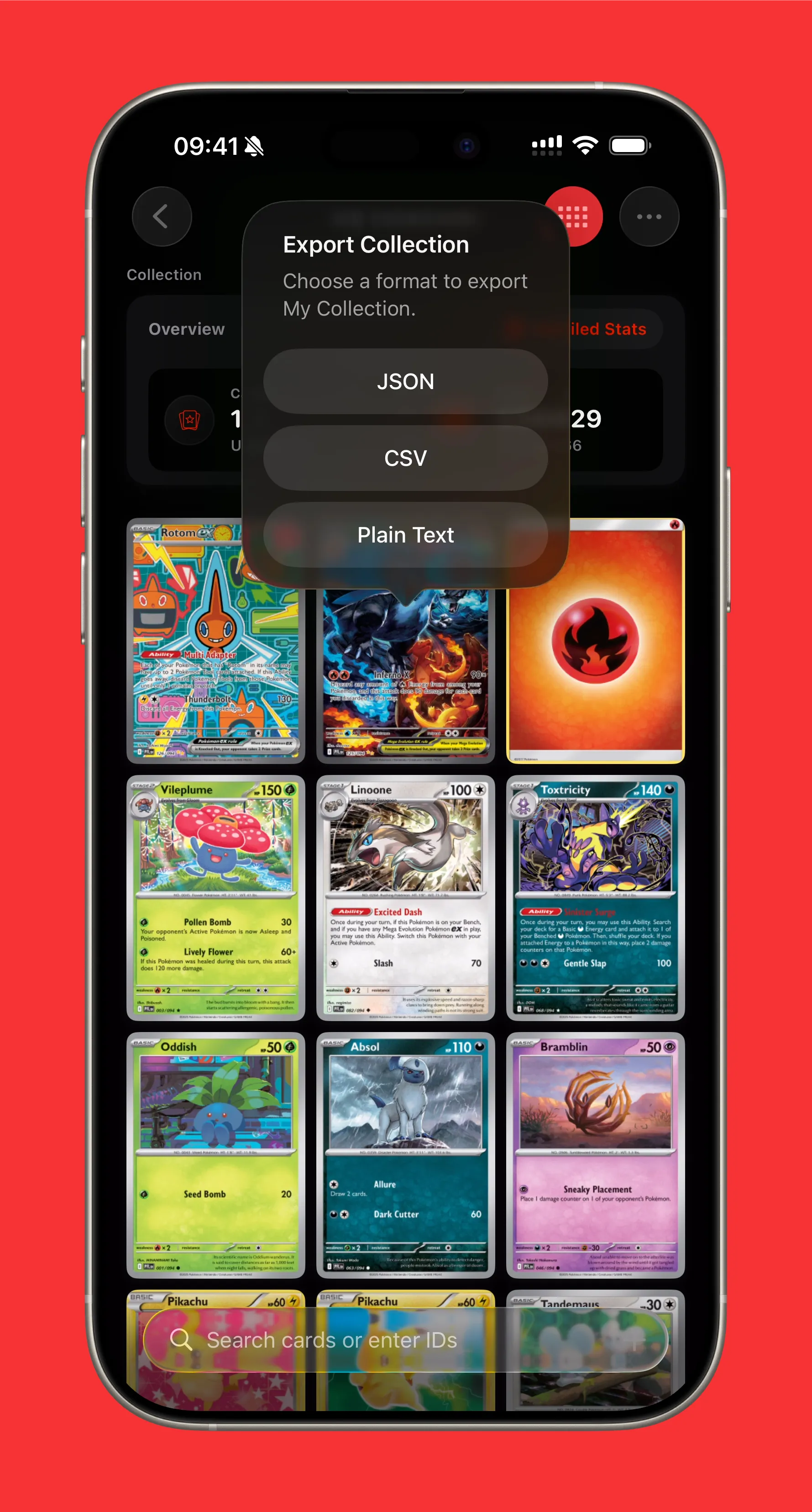
CSV (Comma-Separated Values)
The most versatile format for spreadsheet applications. CSV exports include:
- Card name and set
- Card number
- Rarity
- Condition
- Quantity
- Current market price
- Total value
Perfect for importing into Excel, Google Sheets, or Numbers for further analysis.
JSON (JavaScript Object Notation)
A structured data format ideal for developers or advanced users who want to:
- Import data into other applications
- Create custom visualizations
- Build automated workflows
- Integrate with other tools
Plain Text
A simple, human-readable format that’s easy to copy and share via:
- Messages
- Forums
- Social media
How to Export Your Collection
Exporting your collection takes just a few taps:
Step 1: Open Your Collection
Navigate to your collection view where all your scanned cards are displayed.
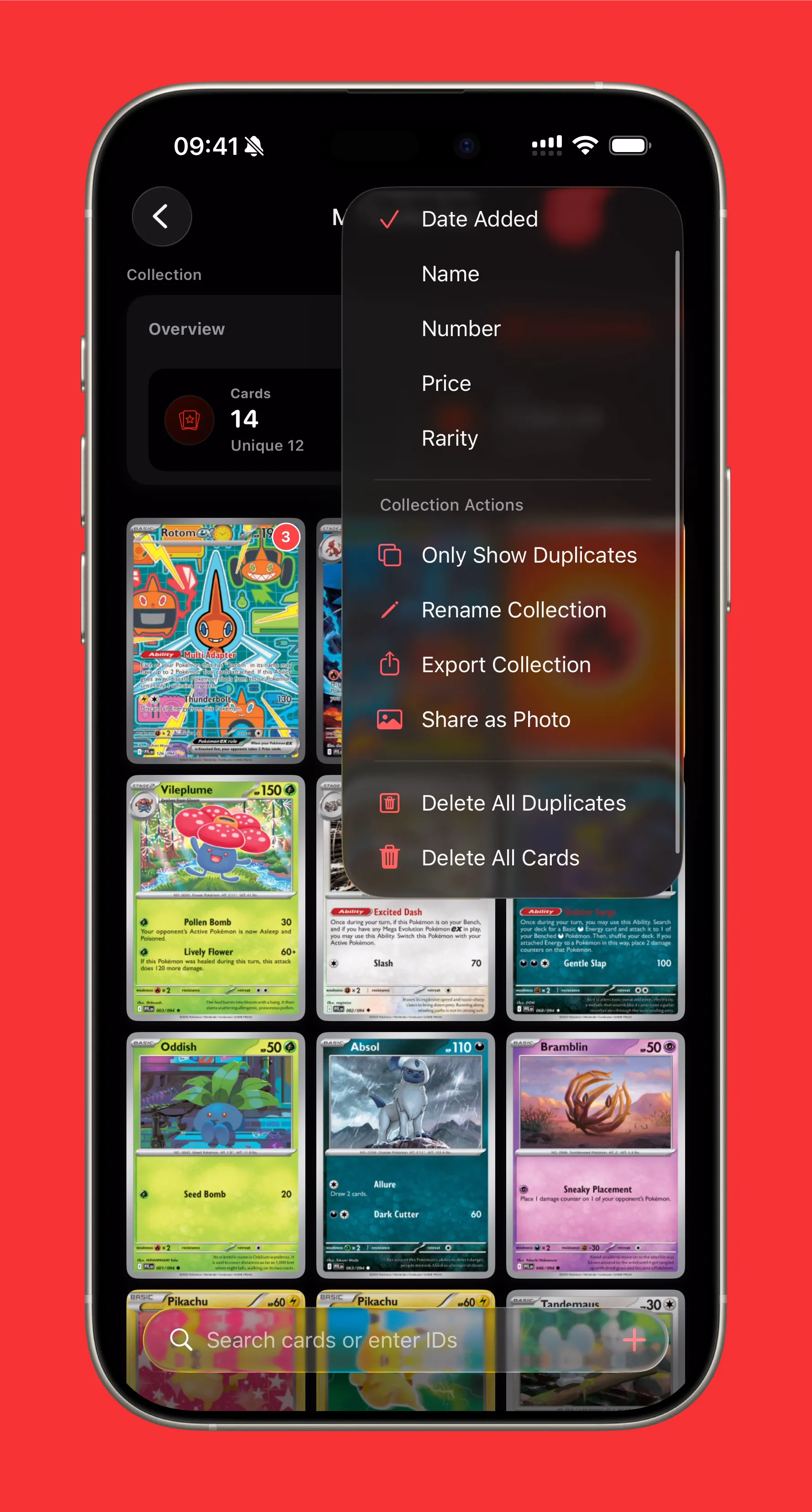
Step 2: Access the Share Menu
Tap the share icon in the top right corner to open the export options.
Step 3: Choose Your Format
Select your preferred export format:
- CSV for spreadsheet analysis
- JSON for technical integrations
- Text for quick sharing
Step 4: Share or Save
Once exported, you can:
- Save to Files app
- Share via AirDrop
- Send via email or message
- Upload to cloud storage
Sharing Individual Cards
Don’t need to export your entire collection? Eyevo also lets you share individual cards with beautiful preview images:
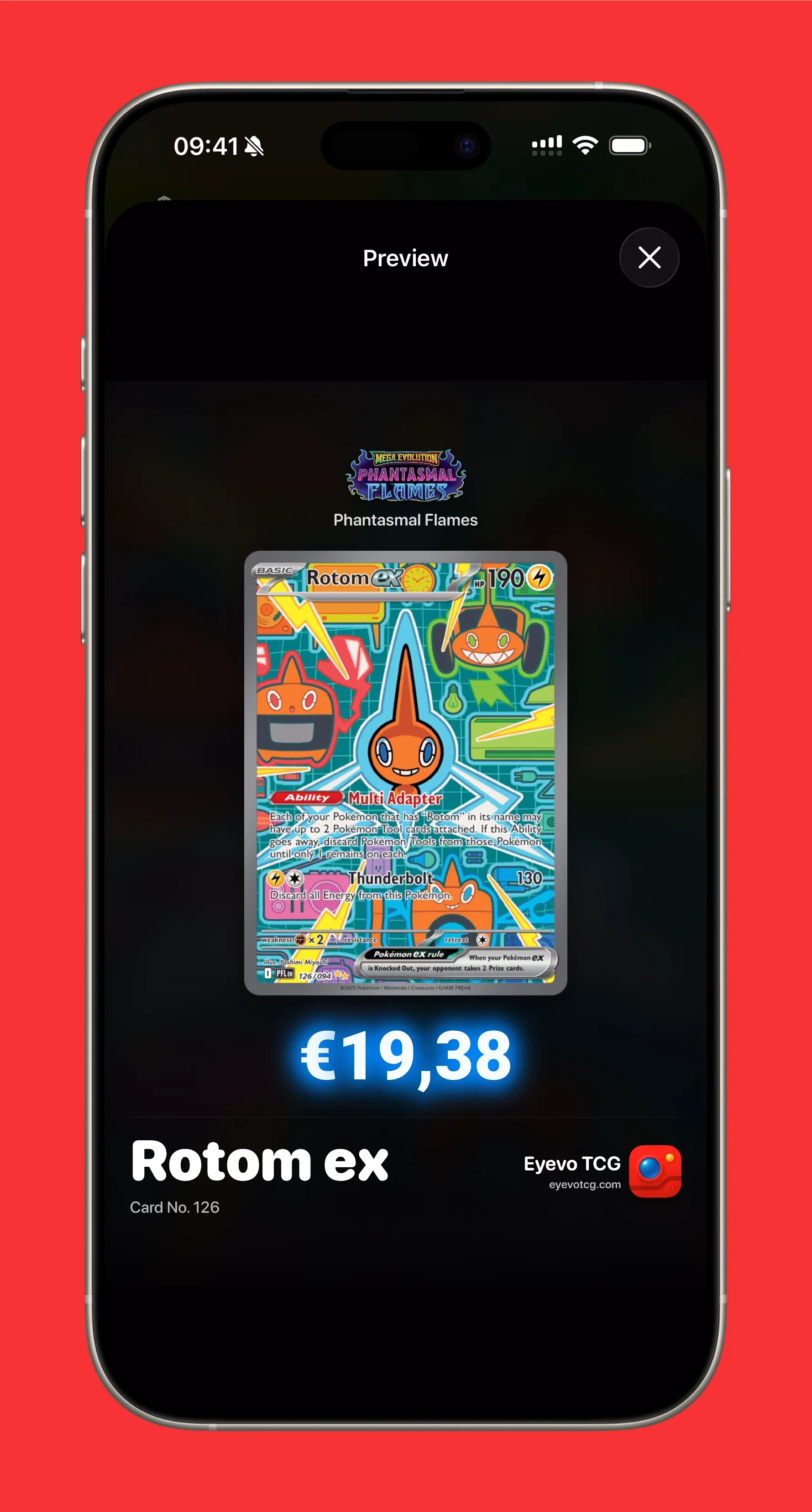
When you share a single card, Eyevo generates a beautiful card preview that includes:
- High-quality card image
- Card name and set information
- Current market value
- Rarity indicator
This is perfect for showing off a rare pull or sharing a card you want to trade.
Sharing Collection Previews
Want to show off your collection visually? Eyevo can generate a beautiful preview image of your collection:
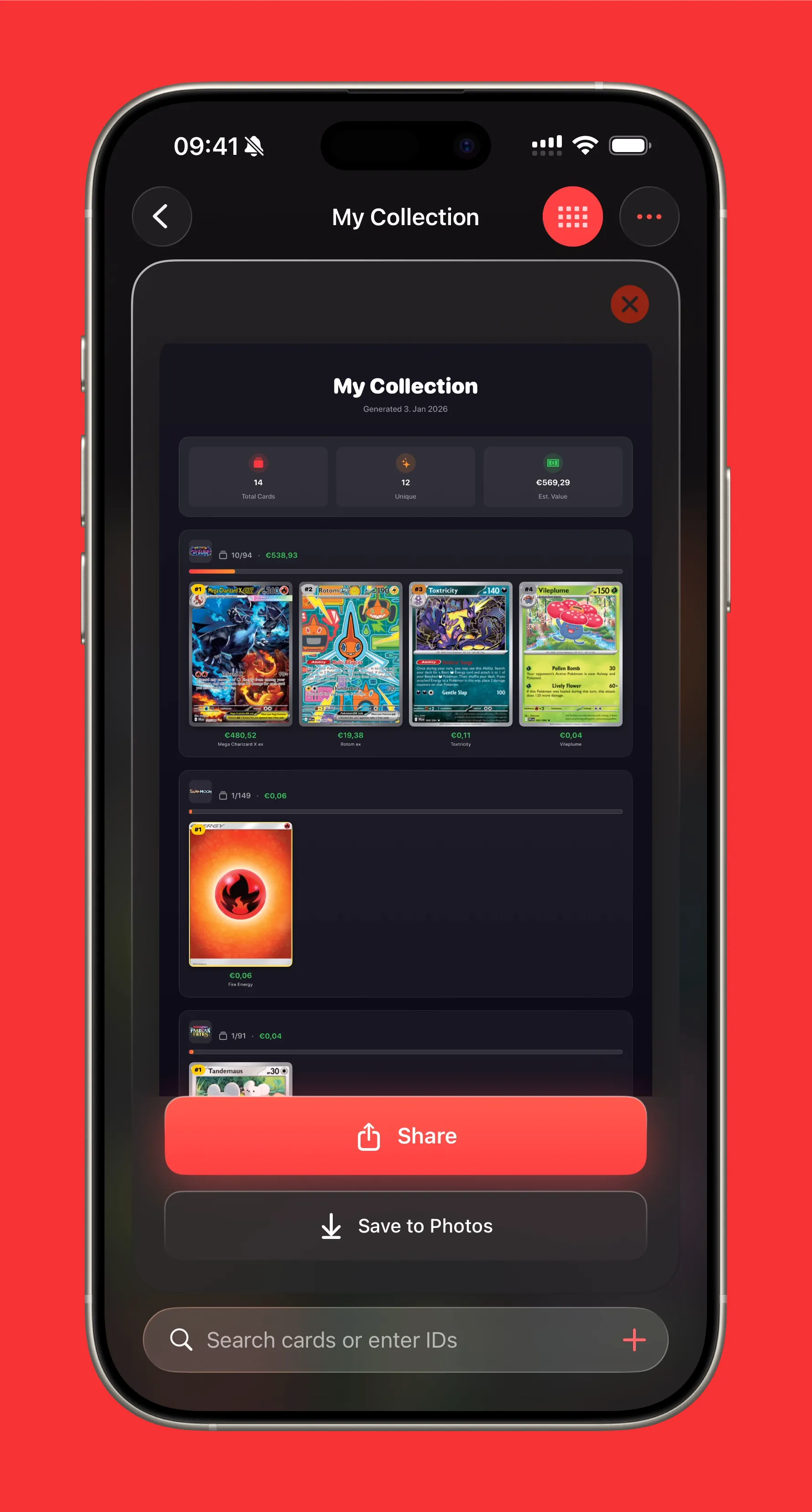
These preview images are perfect for:
- Social media posts
- Trading groups
- Collection showcases
Pro Tips for Exporting
Before You Export
- Update your collection: Make sure all your recent scans are saved
- Check conditions: Verify card conditions are accurate for better value estimates
- Sync prices: Let Eyevo refresh market prices for the most accurate export
After You Export
- Store backups safely: Keep exports in cloud storage for redundancy
- Date your exports: Include the date in filenames for easy reference
- Regular exports: Set a reminder to export monthly for ongoing documentation
Using Your Export Data
Once you have your data exported, here are some ideas for what to do with it:
Track Value Over Time
Import multiple CSV exports into a spreadsheet to track how your collection value changes over time.
Find Gaps in Your Collection
Use spreadsheet filters to identify which cards you’re missing from specific sets.
Calculate Insurance Value
Sum up your collection’s total value for insurance documentation.
Create Trade Lists
Filter your export to show duplicates or cards you’re willing to trade.
Conclusion
Exporting your Pokemon card collection from Eyevo gives you complete control over your data. Whether you’re backing up for safety, analyzing trends, or sharing with the community, the export feature ensures your collection information is always accessible.
Ready to export your collection? Open Eyevo and give it a try!
Have questions about exporting? Let us know what other export features you’d like to see in future updates.
Pokemon TCG Card Scanner Know Exactly What It’s Worth.
Eyevo identifies the exact printing in under a second, then shows live raw, graded, and sold prices. Recognition works offline, and your collection stays on your device.