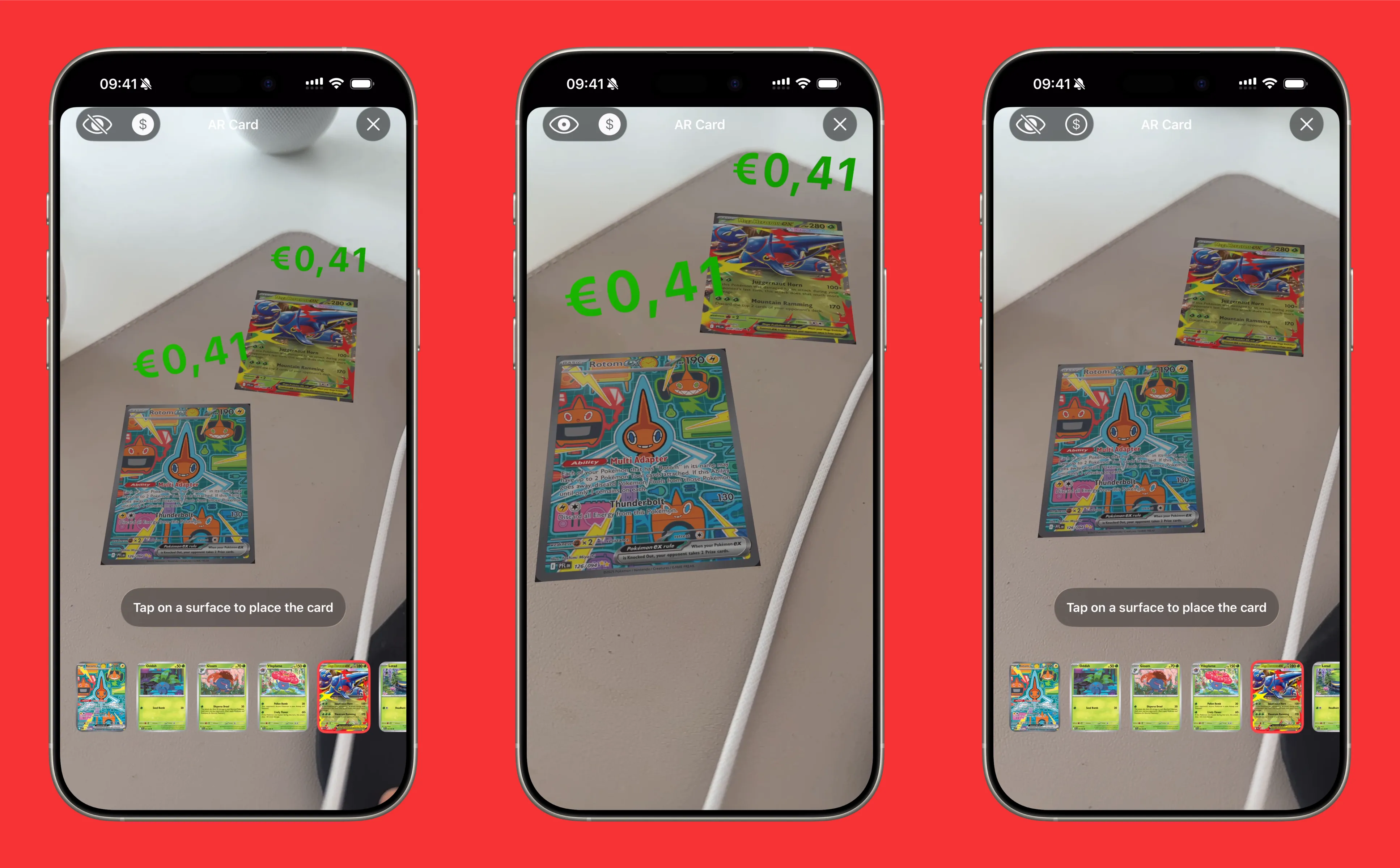
AR View: Place Your Pokemon Cards in the Real World
Ever wanted to see what your favorite Pokemon cards look like sitting on your desk, floating on your coffee table, or displayed on your shelf? Eyevo’s AR feature brings your cards into the real world.
How AR View Works
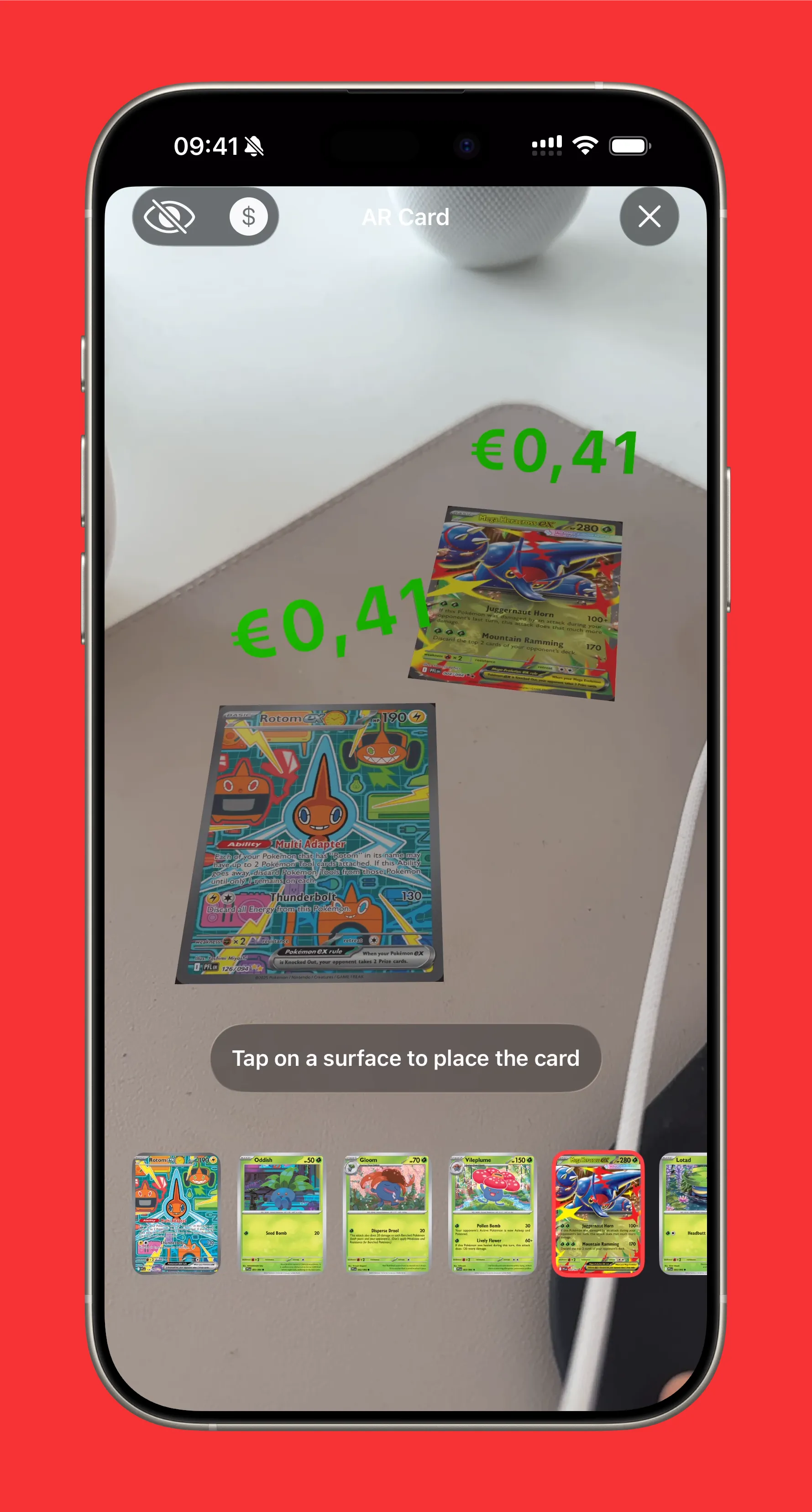
Tap the AR button from any card’s detail view to enter augmented reality mode. Your camera activates, and you can place a life-size Pokemon card anywhere in your environment.
Placing Cards
- Point your camera at a flat surface (table, floor, wall)
- Tap anywhere on the surface to place your card
- The card appears at real-world scale (63mm x 88mm)
- Place multiple cards by tapping different locations
The AR engine uses advanced plane detection to find surfaces. On newer iPhones with LiDAR (iPhone 12 Pro and later), placement is even more precise thanks to depth sensing.
Live Prices in AR
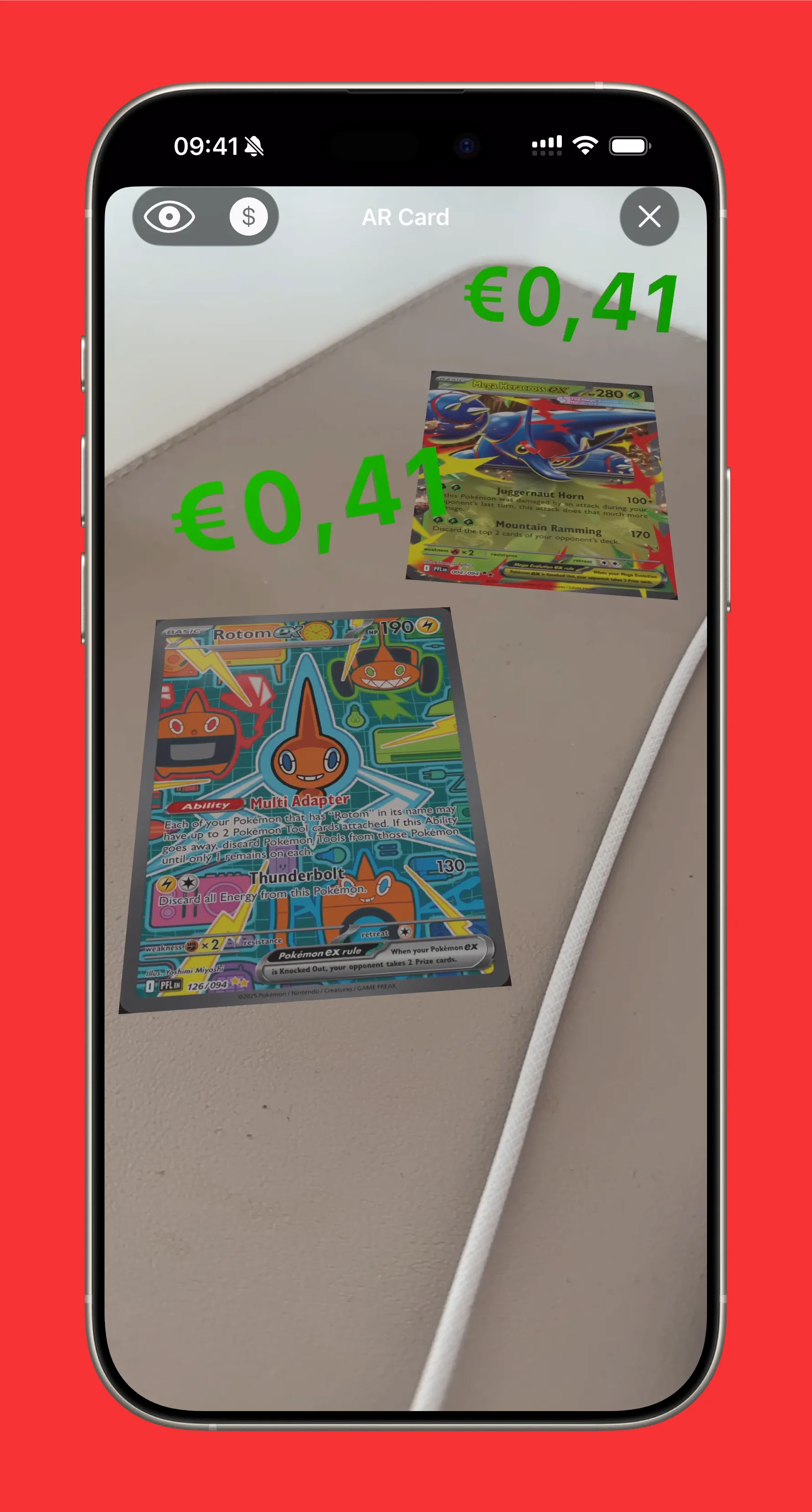
Toggle the price display to see current market values floating above your cards in 3D space.
The price badge:
- Shows real-time market data from TCGPlayer/Cardmarket
- Color-coded by value (green for affordable, purple for premium, red for collectible)
- Billboards to face you as you move around
Browse Cards from the Same Set
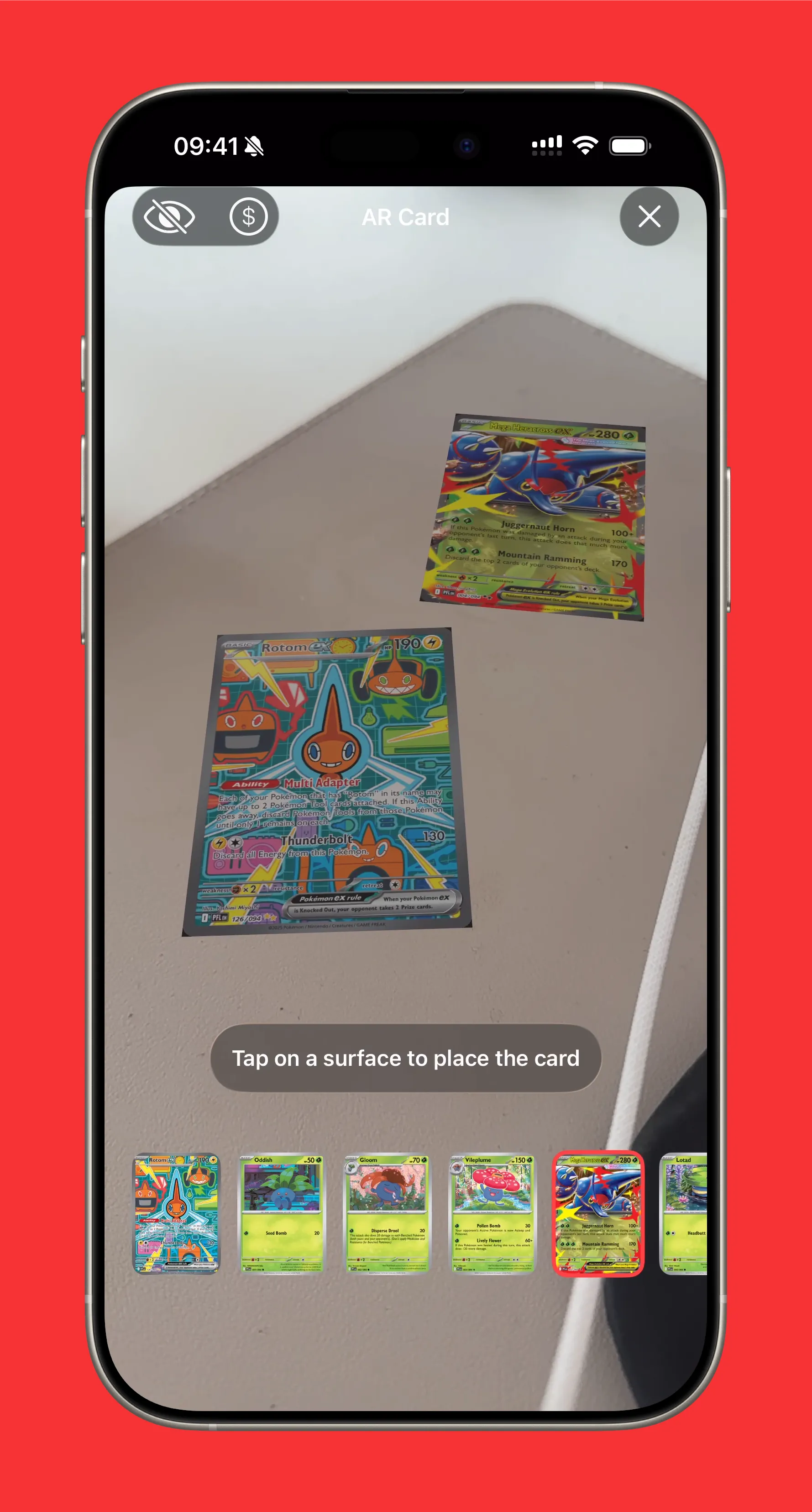
While in AR view, scroll through other cards from the same set using the card picker at the bottom.
This is perfect for:
- Visualizing chase cards you’re hunting
- Comparing card art from a set
- Planning display layouts before buying holders
Popular Cards to View in AR (58 total, showing 4)
View all →



Technical Details
Eyevo’s AR uses Apple’s ARKit and RealityKit frameworks:
- Plane detection finds horizontal and vertical surfaces
- LiDAR support for enhanced depth perception on Pro devices
- Environment texturing for realistic lighting
- Person occlusion so cards appear behind people naturally
- Haptic feedback confirms successful placement
Requirements
AR View requires:
- iPhone or iPad with A12 chip or newer
- iOS 15.0 or later
- Camera access permission
LiDAR-enhanced features require:
- iPhone 12 Pro / Pro Max or newer
- iPad Pro (2020 or newer)
Pro Feature
AR View is available exclusively to Eyevo Pro subscribers. Upgrade to Pro to unlock augmented reality and other premium features.
Experience Cards in AR
Download Eyevo and bring your Pokemon cards into the real world with augmented reality.
Pokemon TCG Card Scanner Know Exactly What It’s Worth.
Eyevo identifies the exact printing in under a second, then shows live raw, graded, and sold prices. Recognition works offline, and your collection stays on your device.